


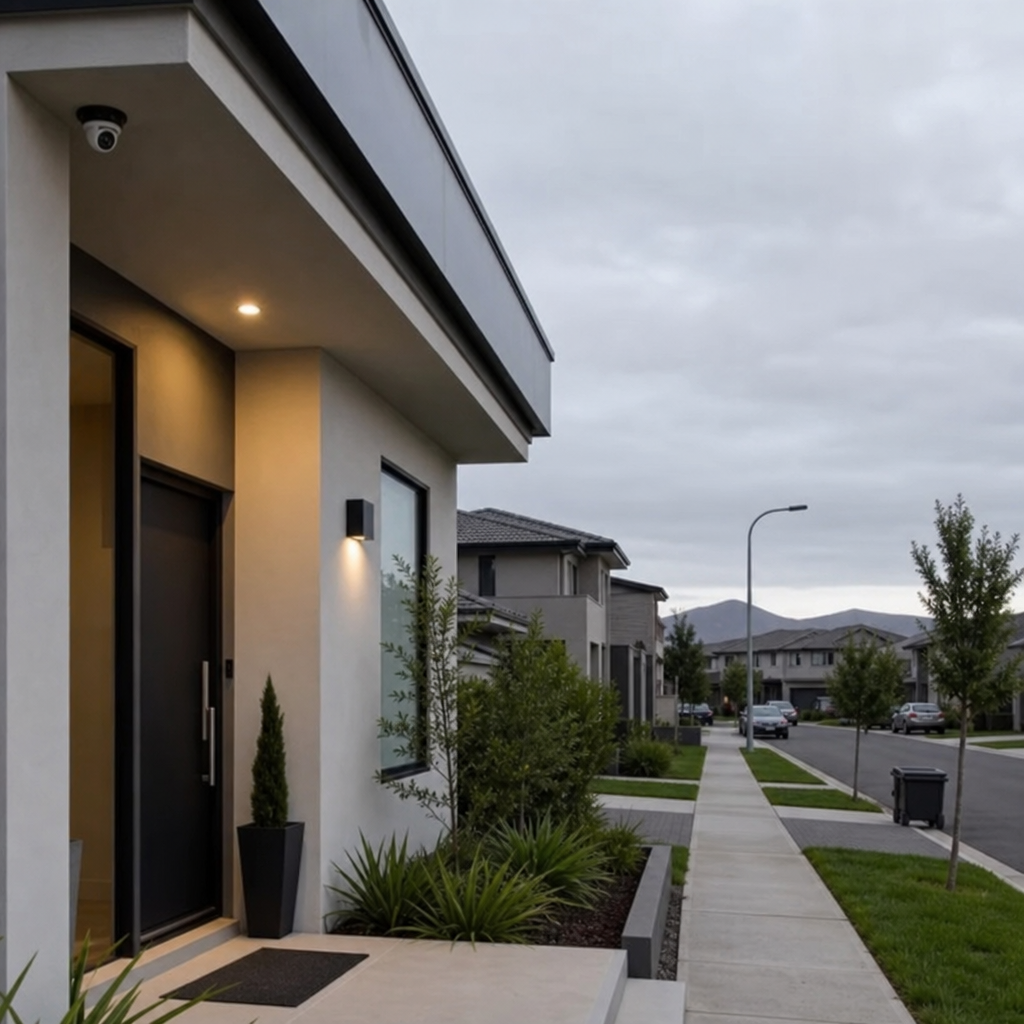
The Impact of Security Cameras on Privacy
Security cameras used to be a niche tool for banks and big-box stores. Now, a surveillance camera can be as small as a doorbell button, as smart as a phone app, and as common as a porch light. That spread has changed how we think about safety—and how we experience privacy at home, at work, and in public. The same video surveillance that deters package theft can also create a permanent record of neighbors, guests, and passersby who never agreed to be filmed.
This post walks through the real-world impact of security cameras on privacy: what’s reasonable, what’s risky, and how to get the benefits of home security without turning your property into an always-on observation zone.

Why cameras feel different from other security measures
Locks and lights protect a property; cameras document people. That distinction matters because documentation can be:
- Searchable (by face, clothing color, vehicle type, or timeline)
- Shareable (sent to neighbors, posted online, provided to police, or leaked)
- Misleading (angles lie; audio lacks context; motion clips omit what happened before)
- Long-lived (stored for weeks, months, or “forever”)
Modern surveillance technology also moves beyond passive recording. Camera monitoring can include live alerts, automatic tracking, and AI-driven “person detection,” which changes privacy expectations even if the camera never leaves your property line.
Where security cameras help—and where privacy costs show up
Common benefits people want
Most households and small businesses install home security camera systems for practical reasons:
- Deterring opportunistic theft
- Verifying deliveries and visitors
- Checking on pets or kids (a frequent use of indoor surveillance)
- Documenting incidents (vandalism, trespassing, vehicle break-ins)
- Monitoring remote properties with outdoor cameras
The privacy trade-offs people don’t anticipate
The privacy costs often appear later, when a system becomes “normal”:
- Neighbor capture: a wide-angle lens films across property lines.
- Guest discomfort: visitors feel watched even inside a living room.
- Worker monitoring creep: cameras installed for safety become performance trackers.
- Data risk: storage accounts get hacked; clips get shared out of context.
- Social friction: disputes start over camera angles, audio, or signage.
A camera can keep you safer and still create a privacy problem—especially when it records areas where people expect more anonymity (bedroom windows, fenced yards, private hallways, or interior living spaces).

Indoor vs outdoor CCTV: privacy expectations change by location
People often ask about indoor vs outdoor CCTV because the “right” choice depends on what you’re protecting—and what you’re willing to record.
Indoor surveillance: higher sensitivity, higher responsibility
Indoors, cameras can capture:
- Conversations
- Personal routines
- Medical devices, bills, screens, family moments
If you use smart cameras inside, treat them like you’d treat a microphone in your home: useful, but potentially intrusive.
Practical guardrails:
- Avoid pointing at beds, bathrooms, or private work areas.
- Use privacy shutters or schedules (off when you’re home).
- Prefer local storage for sensitive spaces (more on cloud recording vs local NVR below).
Outdoor cameras: broad coverage, broader collateral recording
With outdoor cameras, you may capture sidewalks, streets, or adjacent driveways—especially with wide-angle lenses or a 360 surveillance camera. That can be great for perimeter awareness, but it can also record people who have nothing to do with your home.
Practical guardrails:
- Angle down to your own entries and vehicles.
- Mask neighboring windows and yards using privacy zones.
- Reduce audio recording unless you truly need it.
A quick tour of camera types—and what they mean for privacy
Not all devices create the same privacy footprint. Here’s a practical way to think about common categories.
IP camera vs analog CCTV
The IP camera vs analog CCTV decision is often framed as image quality vs simplicity, but privacy hinges on connectivity.
- IP cameras / ip cameras: networked, feature-rich, often cloud-enabled, easier to remote-view, but higher exposure if accounts, Wi‑Fi, or firmware are weak.
- Analog cctv systems: typically record to a DVR on-site; fewer cloud features, but physical access and local security matter.
If you want fewer online risks, a locally recorded analog or IP-to-NVR setup may be preferable—especially for interior spaces.
4K and night vision: clarity cuts both ways
A 4k surveillance camera can read small details (faces, license plates, clothing logos). That’s helpful evidence—yet it also increases the chance you capture identifiable information about neighbors.
Night vision also expands what can be recorded after dark. If you’ve ever wondered about night vision camera range explained, the key idea is that stated “range” is usually a best-case number. Real range depends on:
- Infrared (IR) power and lens quality
- Ambient lighting (streetlights help)
- Reflective surfaces (walls can cause glare)
- Weather (fog/rain reduce clarity)
Better night vision can mean less “mystery footage,” but it also means more surveillance capability at times when people assume they’re less visible.
PTZ and specialty models
A pan-tilt-zoom (PTZ) camera can follow motion and zoom in. Even a single device can cover a lot of space—and raise privacy concerns if it can easily swing toward neighboring property.
You might see niche references like the samsung scp-3120 ptz dome surveillance camera—an example of a PTZ dome style used in commercial settings. The privacy lesson is the same regardless of brand: PTZ capability increases responsibility because it’s easier to capture beyond your intended area.
Portable, battery, and cellular options
Some situations call for flexible deployment:
- portable surveillance camera for temporary monitoring (construction, vacation, event setup)
- battery operated surveillance camera when wiring is hard or you want a low-commitment trial
- 4g surveillance camera for remote locations without reliable Wi‑Fi (farms, cabins, job sites)
These are convenient, but they can be installed “casually,” which sometimes leads to poor placement, missing signage, and unclear policies about who can access footage.

Signage and consent: being transparent without being alarming
If people might reasonably be recorded on your property, security camera surveillance signage can reduce misunderstandings and set expectations. Even when not strictly required, it’s often the simplest way to signal “recording may occur.”
Good signage is:
- Visible near entrances
- Plain-language (no legal jargon)
- Specific when needed (“Audio recording in use” if applicable)
Transparency can prevent neighbor disputes and guest discomfort. It also helps you act like a responsible data steward, not a secret observer.
Privacy laws for security cameras: what to think about (without pretending this is legal advice)
Privacy laws for security cameras vary by country, state, and even city—especially around audio recording and where cameras point. Rather than listing rules that may not match your jurisdiction, focus on the practical risk areas that commonly trigger complaints:
- Recording audio: audio often has stricter consent rules than video.
- Pointing into private spaces: filming into a neighbor’s home window is a frequent flashpoint.
- Workplace and rental properties: employees and tenants may have additional protections or notice requirements.
- Sharing footage publicly: posting clips can create defamation, harassment, or doxxing risk.
If you’re unsure, a good baseline is: record only what you need for security, keep it as local as practical, and don’t share footage beyond its purpose.
How to choose a security camera without over-collecting data
People searching how to choose a security camera often compare resolution and subscriptions, but the best privacy-friendly setup starts with scope: “What problem am I solving?”
A practical “best security camera for home” checklist
There isn’t one universal best security camera for home, but these features help balance security and privacy:
- Activity zones / privacy masks to block sidewalks and neighbor windows
- On-device person detection (reduces unnecessary cloud uploads)
- Two-factor authentication and strong account controls
- Local storage support (microSD, NVR, or NAS)
- User access roles (so not everyone has full admin control)
- Clear indicator lights (so guests know when recording is active)
Also think about the human factor: who can view clips, who gets alerts, and what happens if a phone is lost.

Where to place security cameras for safety and privacy
A common question is where to place security cameras so they actually help. The easiest privacy win is to cover your own access points—not the whole neighborhood.
Best-practice placements
- Front door/porch (or a doorbell alternative—see below)
- Driveway and vehicles
- Back door and ground-floor entries
- Garage side door
- Side gates or narrow access paths
Placement mistakes that cause privacy conflict
- Pointing across the street “for a better view”
- Capturing a neighbor’s patio, pool, or children’s play area
- Mounting too high with ultra-wide view that includes multiple yards
- Using PTZ features to “check” neighboring activity
Aim cameras slightly downward and use privacy zones aggressively. You’ll still capture the security-relevant area while reducing incidental surveillance.
Doorbell camera alternative options (when you don’t want constant street recording)
Doorbells are popular, but they can collect lots of sidewalk footage. If you want doorbell camera alternative options, consider:
- A porch camera angled tightly to your doorstep (not the street)
- A peephole camera (for apartments where allowed)
- A smart lock + door sensor + exterior light (security without video)
- A narrow field-of-view camera that only covers your threshold area
The point is not “no cameras ever,” but “less unnecessary capture.”
Storage choices: keep what you need, protect it, delete the rest
Footage is only as safe as its storage plan. If you’re evaluating security camera footage storage options, start with three questions:
- How long do I truly need footage (3 days, 14 days, 30 days)?
- Who should have access (one admin, or multiple family members)?
- What happens if the camera is stolen or damaged?
Cloud recording vs local NVR
The cloud recording vs local NVR decision is a classic trade-off:
Cloud recording:
- Pros: off-site backup, easier remote access, simple setup
- Cons: subscription costs, account breach risk, vendor policy changes, internet dependency
Local NVR (or NAS/microSD):
- Pros: more control, often no monthly fee, can limit external sharing
- Cons: theft/fire risk unless backed up, more setup effort, drive maintenance
If you want a security camera without subscription, local recording is usually the path—either microSD per camera or a centralized NVR. A hybrid approach (local + optional cloud for critical cameras) can also work.
Privacy tip: set automatic deletion (rolling storage). Keeping months of footage “just in case” expands your risk surface.

Wireless security camera installation guide (the privacy-focused version)
A typical wireless security camera installation guide talks about Wi‑Fi strength and mounting height. Add these privacy steps:
- Map your fields of view before drilling—stand where the camera will be and check what it can see.
- Decide “no-record zones” (neighbor windows, sidewalks, interior rooms).
- Disable features you don’t need (audio, continuous recording, face recognition).
- Harden access:
- unique passwords
- two-factor authentication
- separate guest Wi‑Fi from camera network if possible
- Update firmware on day one and set a reminder to check quarterly.
- Test nighttime view to ensure IR doesn’t overexpose faces or create glare that ruins evidence.
This approach improves security while reducing unnecessary data collection.
Troubleshooting common problems without “turning up” surveillance
Troubleshoot Wi‑Fi camera offline issues
If you’re trying to troubleshoot Wi‑Fi camera offline issues, the fastest fixes are often network-related:
- Move the camera or add a mesh node to improve signal
- Switch to 2.4 GHz if the camera struggles at range
- Check power stability (especially for cold-weather outdoor installs)
- Confirm router settings (DHCP, firewall rules, device limits)
- Reboot camera and router, then update firmware
Privacy angle: repeated offline problems sometimes push people to enable more cloud features or open more ports. Avoid risky “quick fixes” like exposing the camera directly to the internet. Use secure remote access methods provided by reputable vendors—or better, a VPN set up on your network if you know what you’re doing.
Motion detection false alarms fix
Too many alerts lead to two bad outcomes: people ignore real events, or they increase surveillance (more cameras, more coverage) to compensate. A motion detection false alarms fix usually comes from tuning, not expansion:
- Set motion zones to exclude trees/roads
- Lower sensitivity and shorten detection distance
- Use “person/vehicle” detection if available
- Reposition away from heat sources (vents) and reflective surfaces
- Adjust headlights and IR reflections (angle slightly down; avoid shiny walls)
Fewer false alarms means fewer unnecessary recordings—and less incidental capture of neighbors.
Responsible camera monitoring: policies for families and small teams
The privacy impact of cameras isn’t only technical; it’s social. If multiple people have access, define expectations.
A simple home policy:
- One admin account; others are viewer-only
- No sharing clips publicly unless there’s a clear safety reason
- No monitoring household members “to check on them” without discussion
- Visitors get a heads-up if indoor cameras exist
For small businesses:
- Post clear signage
- Restrict who can review footage
- Keep retention short unless required
- Use cameras for safety and loss prevention, not micromanagement
This keeps camera monitoring aligned with its purpose instead of drifting into constant oversight.
The “creep factor” and how to avoid it
The biggest privacy backlash happens when camera use expands quietly:
- A new camera appears without discussion
- Audio gets enabled “temporarily”
- A living-room camera becomes a 24/7 habit
- Clips are shared in group chats for entertainment
To avoid that creep:
- Reassess coverage twice a year
- Remove cameras you no longer need
- Narrow angles instead of adding devices
- Make “minimum necessary recording” your default
Security should feel protective, not voyeuristic.
Takeaway: safer homes, fewer privacy regrets
Security cameras can genuinely reduce risk and provide clarity after an incident. But a surveillance camera is also a data collection device, and the privacy impact scales with resolution, connectivity, storage, and sharing habits. Choose the least intrusive setup that still solves your problem: thoughtful placement, clear notice, limited retention, and secure access. When you treat footage like sensitive information—not casual content—you get the benefits of home security without creating a privacy problem for everyone around you.
Estimated word count (article body): ~2,900 words