


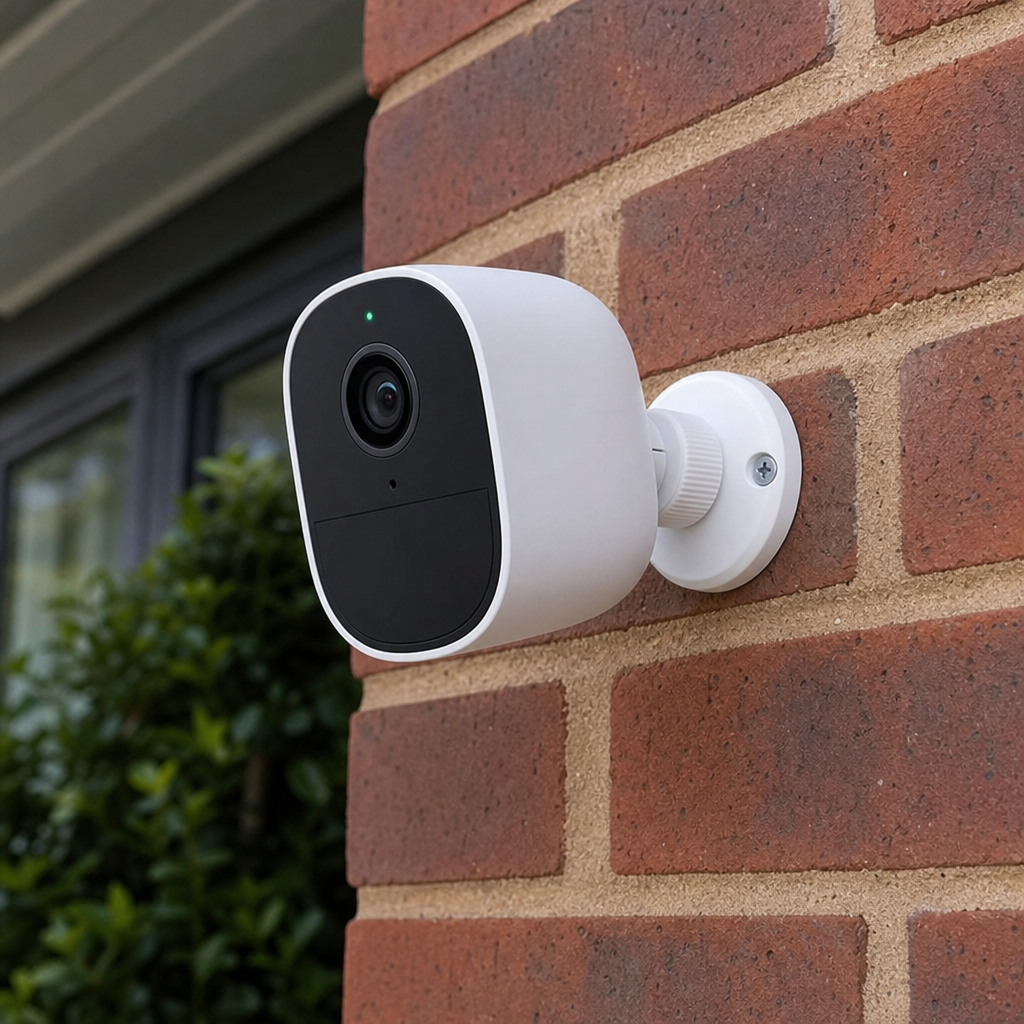
Choosing the Right Security Camera for You
Investing in a security camera for your home or business is no longer a luxury reserved for the ultra-wealthy or high-tech commercial facilities. In today’s fast-paced, interconnected world, a robust security camera system is a fundamental component of property management, family safety, and personal peace of mind. However, stepping into the world of surveillance technology can feel akin to learning a new language.
With thousands of options on the market, ranging from a simple indoor security camera to complex multi-lens outdoor arrays, how do you decide what fits your unique needs?
This comprehensive guide is designed to demystify the technology, break down essential security camera features, and help you build a personalized, highly effective defense for your property. Whether you are looking for the best home security camera to keep an eye on your pets or you want to outfit a sprawling estate with a cutting-edge 4K security camera network, you are in the right place.

The Evolution of the Modern Security Camera
Before we dive into the technical specifications, it is helpful to understand how far we have come. Decades ago, a standard security camera system meant dealing with miles of coaxial cable, massive VCRs for recording grainy, black-and-white footage, and professional installation that cost a small fortune.
Today, the landscape is entirely different. The advent of the smart security camera has revolutionized the industry. Modern cameras are sleek, intelligent devices equipped with powerful processors capable of analyzing footage in real-time. They connect to our smartphones, integrate seamlessly with our daily lives, and offer cinematic video quality that makes identifying a trespasser’s face or a getaway car’s license plate effortless.
But with this technological boom comes a paradox of choice. Finding the best security cameras means navigating a labyrinth of jargon: IP ratings, PoE, focal lengths, and AI algorithms. To make an informed decision, we must break these concepts down piece by piece.
Deciphering the Types of Security Cameras
Not all cameras are created equal, and their intended environments dictate their design. Understanding the distinct categories will help you narrow down your search immediately.
Indoor Security Cameras
An indoor security camera is typically designed with aesthetics, privacy, and convenience in mind. Because they are not exposed to harsh weather, they are often smaller, lighter, and sleek. These devices are incredibly versatile.
Many homeowners use them not just for burglary protection, but as high-tech baby monitors or pet cams. For instance, devices like the aosu 2k qhd wi-fi indoor smart security camera and monitor offer exceptional clarity, allowing you to zoom in on your living room to check on your dog without losing image quality. Features like two-way audio are standard here, allowing you to soothe a crying infant or tell your cat to get off the kitchen counter from your office desk across town.
Outdoor Security Cameras
An outdoor security camera is the frontline soldier of your home’s defense. These devices are built tough, designed to withstand rain, snow, blistering heat, and freezing temperatures. They generally feature robust mounting hardware to prevent tampering and powerful lenses to capture wide expanses of your yard or driveway.
When choosing outdoor options, power supply is a common hurdle. Fortunately, innovation has provided solutions like the eufy solocam e30 solar powered outdoor security camera, which utilizes an integrated solar panel to keep its internal battery charged indefinitely, completely eliminating the need for wiring or climbing a ladder every few months to recharge it.
Dome Security Cameras
If you’ve ever looked up at the ceiling of a retail store or a bank, you’ve likely seen a dome security camera. Named for their dome-shaped housing, these cameras offer distinct advantages for both commercial and residential applications.
First, their design makes it exceptionally difficult for onlookers to tell exactly which direction the camera lens is pointing, creating a 360-degree illusion of surveillance. Second, they are inherently vandal-resistant. The tough polycarbonate dome protects the inner lens from being easily smashed or redirected by an intruder.

Connection Types: Wireless vs Hardwired Monitoring Systems
One of the most critical decisions you will make during your buyer’s journey is how your system will communicate and receive power. The debate of wireless vs hardwired monitoring systems is an ongoing one, and the right choice depends entirely on your home’s layout and your technical comfort level.
The Case for the Wireless Security Camera
A wireless security camera transmits its video and audio data over your home’s Wi-Fi network.
Pros:
- Ease of Installation: Without the need to snake cables through walls or attics, installation is often as simple as mounting the camera with a few screws and syncing it to your router.
- Flexibility: You can easily move a wireless camera from the front porch to the backyard if your security needs change.
- Smart Integration: These cameras natively integrate with smart home ecosystems with minimal setup.
Cons:
- Battery Maintenance: While “wire-free” cameras run on batteries, those batteries eventually need charging (unless paired with a solar panel).
- Wi-Fi Dependency: If your internet goes down, or if your router’s signal doesn’t reach the corner of your yard, your camera goes blind.
The Case for Hardwired Systems
Hardwired cameras physically connect to a central hub, usually a Network Video Recorder (NVR) or Digital Video Recorder (DVR), using cables. A classic example of a reliable hardwired setup is a night owl security camera system, which often utilizes robust cables to guarantee an uninterrupted feed.
Pros:
- Unwavering Reliability: Because they don’t rely on Wi-Fi, hardwired cameras are immune to network dropouts, bandwidth throttling, and wireless signal jamming.
- Continuous Recording: Hardwired systems are designed for 24/7 continuous recording, whereas wireless battery cameras usually only record in short clips when motion is detected to save power.
Cons:
- Complex Installation: Running cables through walls requires time, tools, and sometimes a professional electrician.
- Less Flexibility: Once a wired camera is mounted, moving it is a significant chore.
Power Over Ethernet Benefits
If you opt for a hardwired setup, you should look closely at IP cameras that utilize PoE technology. The power over ethernet benefits are immense. Instead of needing two separate cables (one for video data, one plugged into a wall outlet for power), PoE allows a single Ethernet cable (like a Cat5e or Cat6) to transmit both high-speed data and electrical power simultaneously. This halves your cabling work, provides lightning-fast data transmission, and allows you to place cameras in areas where there is no electrical outlet nearby.
Crucial Security Camera Features to Consider
Once you have decided on the form factor and connection type, it is time to look under the hood. The specifications of a camera dictate its performance when it matters most.
What Resolution is Best for Home Monitoring?
When examining a camera’s specs, the first thing you will notice is the resolution. But what resolution is best for home monitoring?
- 1080p (Full HD): This has been the industry standard for years. It provides clear, recognizable video and is perfectly adequate for indoor cameras or small outdoor spaces. It also uses less bandwidth and storage space.
- 2K (QHD): Offering twice the pixels of 1080p, 2K is currently the sweet spot for most homeowners. It provides crisp details, allowing for better digital zooming without the image becoming entirely pixelated.
- 4K (Ultra HD): A 4k security camera represents the pinnacle of current consumer surveillance tech. Boasting eight million pixels, 4K allows you to zoom in dramatically on a recorded video to read a license plate down the street or identify a face hidden under a hood. The trade-off? 4K cameras require significantly more storage space and a robust internet connection if you are streaming the footage to the cloud.

Wide Angle Field of View
Resolution doesn’t matter if your camera is pointing at the wrong thing. A wide angle field of view determines how much physical area the camera’s lens can capture. A camera with a 90-degree field of view is narrow—great for pointing directly down a hallway. However, for a backyard or a driveway, you want a lens offering 130 to 160 degrees. This allows a single camera to monitor an entire landscape, eliminating blind spots and reducing the total number of cameras you need to purchase.
Infrared Night Vision Range
Most burglaries and trespassing incidents occur under the cover of darkness. Therefore, a camera is only as good as its night vision. When looking at specs, pay close attention to the infrared night vision range.
Standard infrared (IR) night vision uses tiny LEDs around the lens to flood the area with infrared light, invisible to the human eye but clear to the camera, resulting in a black-and-white image. A good camera should have an IR range of at least 30 to 50 feet.
Modern premium cameras also offer Color Night Vision. By utilizing ultra-sensitive image sensors and built-in spotlights, these cameras can capture full-color video even in pitch-black conditions, which is crucial for identifying the color of an intruder’s clothing or a vehicle.
Motion Detection Zones and Sensitivity
One of the most frustrating aspects of early smart cameras was the barrage of false notifications. A passing car, a waving tree branch, or a neighborhood cat would trigger an alert, leading to “notification fatigue” where homeowners eventually just ignored their phones.
Today, customizable motion detection zones and sensitivity settings are a must-have. Through your camera’s app, you can digitally draw boxes over the areas you want the camera to monitor (like your front porch) and exclude areas you don’t (like the busy street behind your house). Adjusting the sensitivity ensures that a falling leaf won’t trigger an alarm, but a person walking up your driveway will.
Facial Recognition and AI Alerts
Taking motion detection a step further is artificial intelligence. The very best cameras now feature advanced algorithms capable of on-device processing. Facial recognition and ai alerts can distinguish the difference between a person, an animal, a vehicle, and a package.
Instead of a generic “Motion Detected” ping, your phone will tell you, “A person was spotted at the back door,” or “A package was left on the porch.” Some high-end systems can even learn the faces of your family members, sending a specialized alert like, “Sarah has arrived home,” while triggering a louder alarm for an unrecognized face.
Remote Access via Mobile App
A security system is effectively useless if you can’t control it. Remote access via mobile app is the bridge between you and your home. Whether you are at work, at the grocery store, or vacationing halfway across the globe, a robust, intuitive mobile app allows you to view live feeds, review past footage, speak through the two-way audio, and trigger sirens. When reading security camera reviews, pay as much attention to what users say about the app’s reliability as they say about the camera hardware itself.

Video Management: Local Storage vs Cloud Backup
Where does the footage go once the camera captures it? Deciding between local storage vs cloud backup is a vital step that impacts both your ongoing budget and your data privacy.
Local Storage
Local storage means the video is saved directly to a physical device on your property. This is usually done via a micro-SD card inserted directly into the camera or a hard drive inside an NVR/DVR hub.
Pros:
- No Monthly Fees: You buy the SD card or hard drive once, and you own it forever. There are no recurring subscription costs.
- Privacy: Your video data never leaves your home. It isn’t transmitted over the internet to a third-party server, making it highly secure against remote hacking.
- Bandwidth Friendly: Because the footage isn’t constantly uploading to the internet, it doesn’t slow down your home Wi-Fi network.
Cons:
- Vulnerability to Theft: If a burglar spots your camera, they might simply steal the camera itself or the NVR hub. If your footage is stored on that device, the evidence is gone.
- Maintenance: When an SD card gets full, it usually overwrites old footage automatically, but SD cards can eventually corrupt and fail over time, requiring replacement.
Cloud Backup
Cloud backup relies on your camera uploading its recorded clips to secure servers managed by the camera manufacturer (like Ring, Google, or Arlo).
Pros:
- Disaster-Proof Evidence: Even if a thief smashes your camera to pieces with a baseball bat, the footage of them doing it is already safely stored in the cloud, ready for the police.
- Easy Access: You can log into your account from any device, anywhere, to view your historical footage.
Cons:
- Subscription Fees: Almost all cloud storage requires a monthly or yearly fee. Over the lifespan of a camera, this can exceed the cost of the hardware itself.
- Internet Reliability: If your Wi-Fi drops, the camera cannot upload the footage.
- Privacy Concerns: While highly encrypted, some users are uncomfortable with video of the inside of their homes sitting on a massive corporate server.
The ultimate setup often utilizes a hybrid approach: local storage for 24/7 continuous recording, coupled with cloud backup specifically for motion-triggered events.
Planning Your Home Surveillance Placement Strategy
Buying top-tier equipment is only half the battle; where you put it matters just as much. A well-thought-out home surveillance placement strategy maximizes coverage and minimizes blind spots.
1. The Front Door
Statistically, a massive percentage of burglars simply walk up and use the front door. A camera here is essential. It also monitors package deliveries and visitors. Smart doorbells are ideal for this location because they position the lens at eye level, ensuring a clear shot of a person’s face rather than the top of a baseball cap.
2. Back and Side Doors
Doors that are out of plain sight from the street are highly attractive to intruders. Ensure these entry points are covered by cameras placed high enough to be out of easy reach (about 8 to 10 feet off the ground) but low enough to capture detailed facial features.
3. Driveways and Garages
A camera monitoring the driveway protects your vehicles and can capture the make, model, and license plate of suspicious cars pulling onto your property.
4. Ground-Floor Windows
Windows hidden by large bushes or trees are common break-in points. Ensure your wide-angle cameras cover the perimeter of your home’s ground floor.
Deterring Intruders with Visible Monitoring
While hiding cameras might seem like a good way to catch a thief in the act, security experts widely agree that deterring intruders with visible monitoring is a far superior strategy. The goal is to prevent a break-in from happening in the first place.
Prominently placed cameras, combined with yard signs and window decals stating that the property is monitored, serve as a massive psychological deterrent. An opportunist looking for an easy target will see the cameras and simply move on to a less protected house.

Demystifying Security Camera Installation
The thought of security camera installation can be intimidating, but modern systems have democratized the process. Most wireless setups are designed explicitly for the DIY user.
General Installation Tips
- Test Before You Mount: Never screw a camera into your wall before testing it. Sync it to your app, hold it in the exact spot you plan to mount it, and check the Wi-Fi signal strength and the field of view on your phone.
- Mind the Glare: Do not point outdoor cameras directly at the rising or setting sun, as the glare will blind the sensor. Additionally, ensure the camera isn’t placed behind a window; the IR night vision lights will reflect off the glass, rendering the night footage useless.
- Secure the Cables: If you are using wired cameras, ensure the cables run through the wall or are tucked safely into conduits. Exposed cables can be easily snipped by an intruder with wire cutters.
How to Install Smart Doorbells
Because smart doorbells are a unique beast, understanding how to install smart doorbells is a highly sought-after skill. While battery-powered doorbells just need to be screwed into the doorframe, hardwired doorbells require a bit more care.
- Turn Off the Power: Locate your breaker box and turn off the power to your existing doorbell.
- Remove the Old Chime: Unscrew your old doorbell button and gently pull it out to expose the two wires.
- Check the Voltage: Most hardwired smart doorbells require a transformer that outputs between 16V and 24V AC. If your home is older, you may need to locate your doorbell transformer (often in the basement or garage) and upgrade it.
- Attach the Wires: Connect the two existing wires to the terminals on the back of your new smart doorbell. (In most cases, it doesn’t matter which wire goes to which terminal).
- Mount and Power Up: Screw the mounting bracket to the wall, click the doorbell into place, and turn the breaker back on. Follow the app instructions to connect it to your Wi-Fi and existing indoor chime box.
Battling the Elements: Weatherproof IP Ratings Explained
If you are placing electronics outside, they need to survive the weather. This is where IP ratings come in. To protect your investment, you must have weatherproof ip ratings explained to you before buying.
The IP (Ingress Protection) rating consists of two numbers (e.g., IP65).
- The First Digit (0-6): Indicates the level of protection against solid objects, like dust and dirt. A “6” means the camera is completely dust-tight.
- The Second Digit (0-8): Indicates the level of protection against liquids.
Here are the most common ratings you will encounter:
- IP65: Protected against dust and low-pressure water jets from any direction. It will survive standard rain and snow just fine.
- IP66: Protected against dust and strong water jets. Better for areas with severe, driving rainstorms.
- IP67: Completely dust-tight and can survive being temporarily submerged in shallow water. This is incredibly durable and ideal for extreme environments.
Always ensure any outdoor security camera you purchase has a rating of at least IP65.
The Ecosystem: Smart Home Automation Integration
The true magic of modern surveillance lies in its ability to talk to the rest of your home. A standalone camera is good; a camera that is part of a cohesive ecosystem is incredible.
Smart home automation integration allows your cameras to interact with platforms like Amazon Alexa, Google Assistant, or Apple HomeKit. This creates a web of security and convenience that enhances your daily life.
Imagine this scenario: Your outdoor camera detects a person walking up the driveway at 2:00 AM. Because of smart integration, the camera doesn’t just send an alert to your phone. It automatically tells your smart porch light to turn on to 100% brightness, tells your smart locks to double-check that the front door is deadbolted, and prompts your smart speaker in the bedroom to announce, “Motion detected in the driveway.”
This level of automation turns a passive recording device into an active, intelligent security guard. When browsing options, always check which smart ecosystems a camera is compatible with to ensure it fits into your existing tech landscape.
Legalities and Ethics: Residential Privacy Regulations and Laws
While protecting your home is paramount, it is equally important to be a good neighbor and a law-abiding citizen. Understanding residential privacy regulations and laws is a non-negotiable part of owning a security camera system.
While laws vary heavily by country, state, and municipality, there are several universal guidelines to follow:
The Expectation of Privacy
You have every right to record video on your own property. However, individuals have a “reasonable expectation of privacy” in certain areas. You cannot point your cameras into areas where privacy is expected. For example, pointing a camera directly into your neighbor’s bedroom or bathroom window is illegal and a gross invasion of privacy.
When setting up your cameras, aim them so they primarily capture your property. If a neighbor’s yard is in the background of your driveway camera, that is generally acceptable, as yards are typically considered public view. However, utilizing the privacy masking features in your camera’s app to block out your neighbor’s property is a courteous and legally safe best practice.
Audio Recording Laws
Audio recording is a much thornier legal issue than video recording. Many regions have strict “wiretapping” laws.
- One-Party Consent: In these jurisdictions, you can record audio as long as one party involved in the conversation consents (and if you are standing there, you are the consenting party).
- Two-Party Consent: In these areas, everyone involved in a conversation must consent to being recorded.
Because a security camera can easily pick up a private conversation taking place on the sidewalk in front of your house, it is vital to know your local audio laws. If you live in a strict two-party consent state, you may need to disable the microphone on your outdoor cameras to remain compliant.
How to Choose: Navigating the Buying Process
With all this technical knowledge in hand, how do you actually make the final purchase? It starts with critical evaluation.
Do not rely solely on the marketing copy on the back of the box. Dive deep into professional and user-generated security camera reviews. Look for long-term reviews from people who have used the camera through different seasons. Pay attention to complaints about the app crashing, slow notification times, or customer support responsiveness, as these are often the hidden pain points of cheap cameras.
Consider your budget, but think of it as an investment. The cheapest camera on the shelf might save you fifty dollars today, but if it misses the crucial five seconds of footage during a break-in because its motion sensor was too slow to wake up, it has failed its only purpose.
Conclusion
Choosing the right security camera is a journey of assessing your environment, understanding your technical limitations, and prioritizing the features that matter most to your family’s safety.
From understanding the intricate power over ethernet benefits of a hardwired system to marveling at the facial recognition and ai alerts of a wireless smart camera, the modern surveillance industry offers a tool for every scenario. By strategically planning your placement, embracing smart automation, and balancing the scales of local storage and cloud backups, you can create an impenetrable digital fortress around your home.
Ultimately, the best security system is the one that fades into the background of your daily life, requiring minimal maintenance while providing maximum peace of mind. Take your time, do your research, and invest in a system that allows you to sleep soundly, knowing your home is watched over, day and night.
